Set up the version gate in GitLab CI
Make a merge request fail when a segment's version is behind what its commits warrant, so a change cannot reach the default branch without shipping.
Time: about ten minutes. You need: Maintainer on the project.
Why a gate and not an automatic bump
The obvious design is to let CI compute the bump, commit it and push it back. It works right up to the last step, and then GitLab stops you:
- A job token cannot create a pipeline. The job-token API grants only
PUT /projects/:id/pipelines/:pipeline_id/metadata; creating one needs a pipeline trigger token, a separate credential. - A job-token push triggers no pipeline. That is deliberate — it is what stops a pushing job re-triggering itself forever.
Together those mean a bump written by CI arrives as a head commit with no
pipeline of its own, and if the project has Pipelines must succeed enabled,
the merge request blocks on ci_must_pass with nothing able to clear it.
So skillup runs in CI as a gate that only reads, and the contributor runs
skillup apply when it tells them to. One command, run occasionally, against a
second credential and a permanently-blocked merge request.
GitHub's
GITHUB_TOKENbehaves the same way. See Set up the version gate in GitHub Actions.
1. Protect the default branch
The gate only means something if nothing can bypass it.
Settings → Repository → Protected branches, and for main:
| Setting | Value |
|---|---|
| Allowed to push and merge | No one |
| Allowed to merge | Maintainers |
| Allow force push | Off |
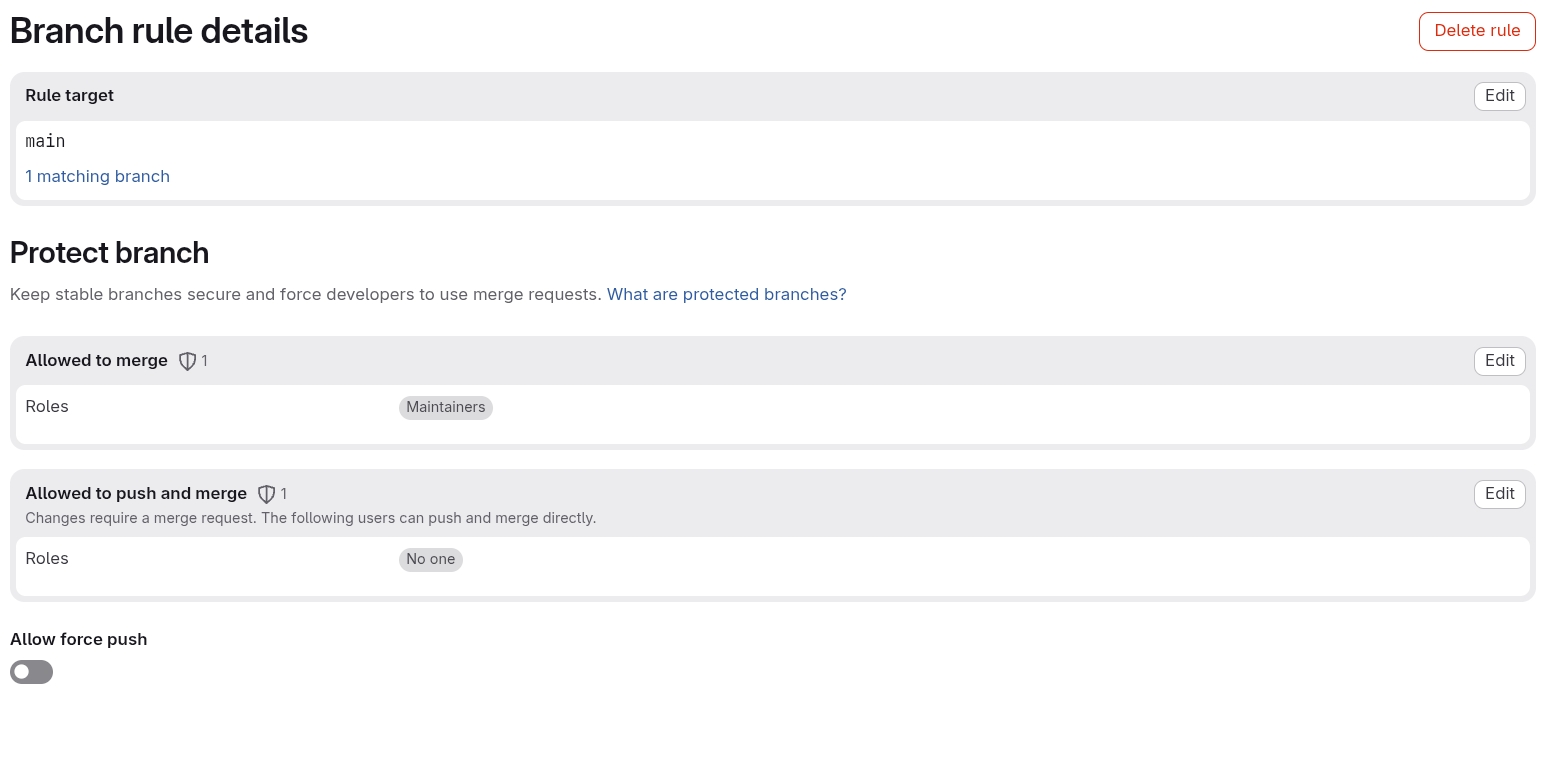
Allowed to push and merge → No one is the one that matters. Without it a
maintainer can push straight to main, and a commit that never passes through a
merge request never meets the gate.
Then Settings → Merge requests:
- Pipelines must succeed — on
- All threads must be resolved — optional, but it pairs well
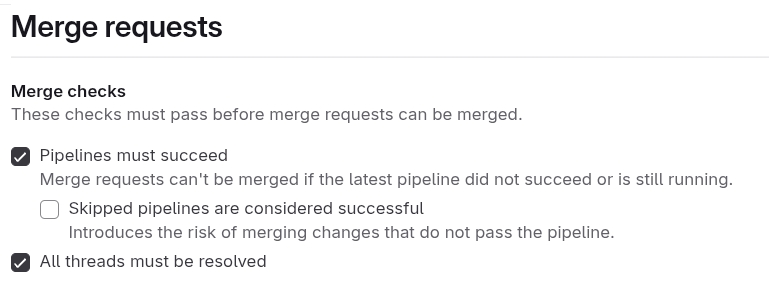
Leave Skipped pipelines are considered successful unticked. A skipped pipeline is not a passed one, and ticking it would let a merge request through on a pipeline that never evaluated the gate.
2. Add the job
This is the job as it actually runs on phpboyscout/claude-code-plugins:
stages:
  - security
  - version

version-check:
  stage: version
  image: registry.gitlab.com/phpboyscout/images/dev-tools:v0.3.3
  rules:
    - if: '$CI_PIPELINE_SOURCE == "merge_request_event"'
  variables:
    # skillup reads each manifest's whole history. GitLab clones shallow by
    # default, and a shallow clone yields a confidently wrong answer rather
    # than an error.
    GIT_DEPTH: "0"
  before_script:
    # Pinned, not @latest: this gate decides whether a change ships, so it
    # should not change underneath the repository without a commit saying so.
    - go install gitlab.com/phpboyscout/skillup/cmd/skillup@v0.1.0
  script:
    - skillup check --path .
Three details that matter:
GIT_DEPTH: "0". Without it the clone is shallow, skillup sees a truncated history, and computes a version that is wrong without failing.- Pin the version; do not track
@latest. This job decides whether a change reaches consumers. On@latestthat decision changes without a commit saying so, and the change lands on whichever merge request happens to run next. - Put the security stage first if you have one. A version job is a convenience; a secrets scan is not, and a failure in the former should never stop the latter running.
Any image with Go 1.26.5 or newer will do. The dev-tools image is used above
because it is already the group's standard; a stock golang image works
identically.
Keep the pin current
A pin that nobody moves is a pin that rots, and a go install line in a CI
file is not covered by an ecosystem preset. Renovate's gomod manager reads
go.mod; it does not read shell commands in a pipeline, so extending a :go
leaf will not bump this line. It needs a custom manager, added to the
consuming repository's renovate.json:
{
  "customManagers": [
    {
      "customType": "regex",
      "managerFilePatterns": ["/\\.gitlab-ci\\.ya?ml$/"],
      "matchStrings": [
        "go install gitlab\\.com/phpboyscout/skillup/cmd/skillup@(?<currentValue>v[\\d.]+)"
      ],
      "datasourceTemplate": "gitlab-tags",
      "depNameTemplate": "phpboyscout/skillup"
    }
  ]
}
Without it the pin is correct and permanent, which is the safe failure but not the one you want. Check for an open merge request after a skillup release; if none arrives, this is why.
3. Check it bites
On a branch, change something inside a segment and commit it as a feat: or
fix: without touching the version. The job should fail with:
  my-segment    is 0.3.0 but its commits warrant 0.4.0 (minor)
      a1b2c3d4  feat(my-segment): add a thing (minor)

  To fix, on your branch:

      skillup apply --path .
      git add -u && git commit --amend --no-edit   # or a new commit
Run those two commands, push, and it goes green.
Troubleshooting
The job passes but should not. Check GIT_DEPTH: "0" is set. A shallow
clone is the usual cause of a wrong-but-confident answer.
Every segment wants to go to 0.1.0. skillup is reading a repository whose
manifests have no history, so every segment looks new. Confirm you are pointing
--path at the right root.
The job is skipped. The rules limit it to merge request pipelines by
design. If you push directly to a branch with no merge request, it will not run
— which is why step 1 matters.